Tournaments
Tournaments are auto-scheduled brackets that run on their own — there's no host to set them up or start them manually.
Like Matchmaking, tournaments are currently limited to 501, played either Straight In / Double Out (any dart starts your scoring, but you must finish on a double or the bullseye) or, for one specific format, Double In / Double Out (you must also start scoring with a double — see Grand Double Trouble below).
Format and naming
Every tournament has a duration (how many legs — single games down to zero — it takes to win a match) and, optionally, an average restriction that limits who can join, based on a player's average (their points scored per dart, the standard way darts skill is measured). The combination of duration and restriction determines the tournament's name:
| Duration | Names | Notes |
|---|---|---|
| First to 1 Leg | Rapid Ricky | Always this name, regardless of restrictions. |
| First to 2 Legs | Evening Skirmish, Flights of Fury, Intermediate Intermezzo, Kings Clash, Lunchtime Launch | Name depends on the average restriction for that run. |
| First to 3 Legs | Daytime Frenzy, Grand Double Trouble, Night Owl Yudo, Prime Time Brawl | Grand Double Trouble is the exception: it's played Double In / Double Out instead of Straight In. |
Average restrictions limit entry to a specific skill band. Not every tournament has one — some are open to everyone regardless of average. As of this writing, each name tends to run at a particular band:
| Name | Typical average restriction |
|---|---|
| Rapid Ricky | Varies most of any name — has run open, below 40, 40–60, and 50+. |
| Kings Clash | Higher-skill only — 40–60, 50+, or 60+. |
| Intermediate Intermezzo | Mid-range — below 50, sometimes narrowed to 25–50. |
| Flights of Fury | Lower/mid-range — below 30 or below 40. |
| Evening Skirmish | Either 40–60, or open to everyone. |
| Lunchtime Launch | Either below 30, or open to everyone. |
| Prime Time Brawl | Either 40+, or open to everyone. |
| Daytime Frenzy | Either open to everyone, or below 40. |
| Night Owl Yudo | Open to everyone. |
| Grand Double Trouble | Open to everyone — its distinguishing trait is the Double In ruleset, not a restriction. |
A run of any of these names can separately also be Referee Protected (see below), on top of whatever average restriction it has — Referee Protected runs are exclusive to Autodarts Plus members.
Schedule
Tournaments run on a recurring schedule that's currently weighted toward Central European time, since that's where most players are active. The schedule may change over time, so it isn't documented in detail here.
Bracket size and byes
A bracket is the schedule of who plays whom each round, narrowing down match by match until one player is left. A bye is a free pass through a round — if there's no opponent to pair you against, you advance to the next round without playing.
Tournaments usually need at least 4 players to start (occasionally fewer, depending on the run — Lunchtime Launch has run with a minimum of 2) — if fewer have joined by the scheduled start time, the tournament is simply canceled instead. Beyond that minimum, the bracket size adapts to however many players actually joined, usually up to a maximum of 32 (Flights of Fury has run capped at 16 instead):
- With the minimum player count, the first matches played are the semi finals.
- If the number of joined players isn't an exact bracket size (4, 8, 16, or 32), some players get an automatic bye for that round instead of playing it.
If you get a bye, you simply wait for your next opponent to be decided — you'll be notified once they're ready. In fact, a notification always appears whenever any of your matches is ready to play, bye or not. If you expect to be waiting a while, that's a good time to start a custom lobby practice game or a round against a bot to fill the time.
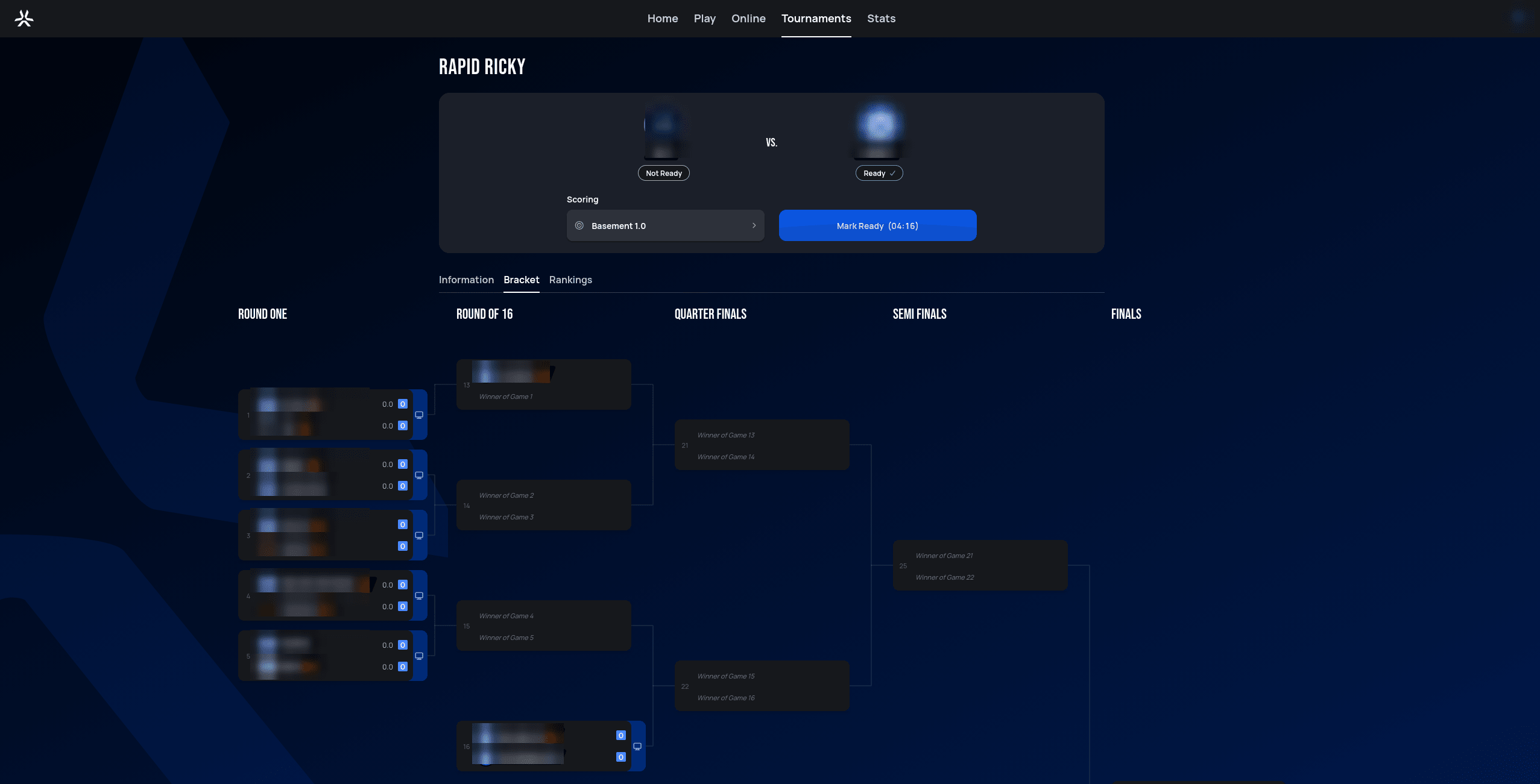
Once you're notified that your match is ready, you have 5 minutes to mark yourself ready — miss that window and you automatically forfeit the match, the same way declining a matchmaking invite works. From there, the same match and turn timers as Matchmaking apply for the rest of the match.
 Personal data redacted
Joining a tournament
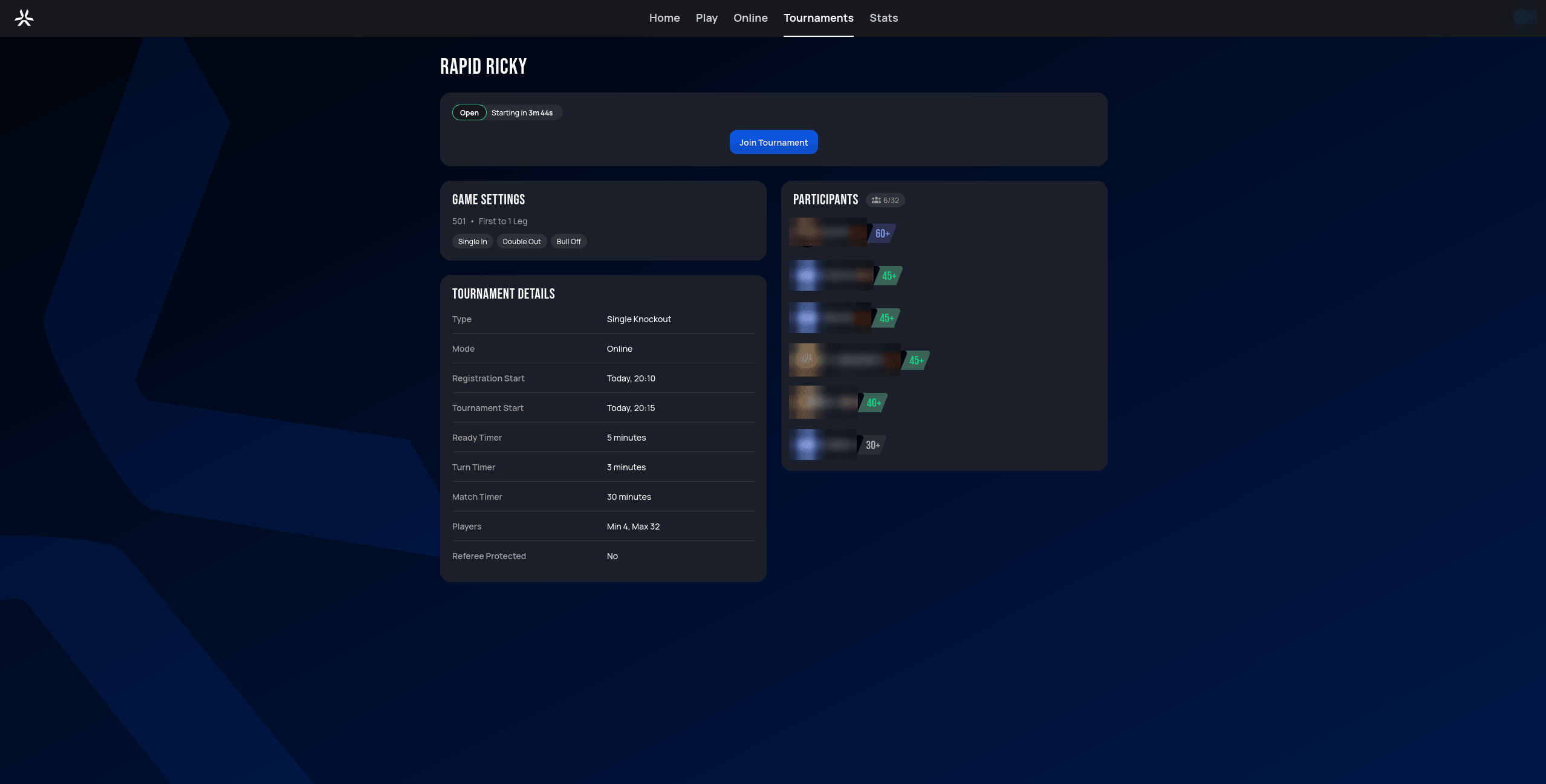
Opening an upcoming tournament from the list shows its Game Settings, Tournament Details, and current Participants, along with a Join Tournament button:
 Personal data redacted
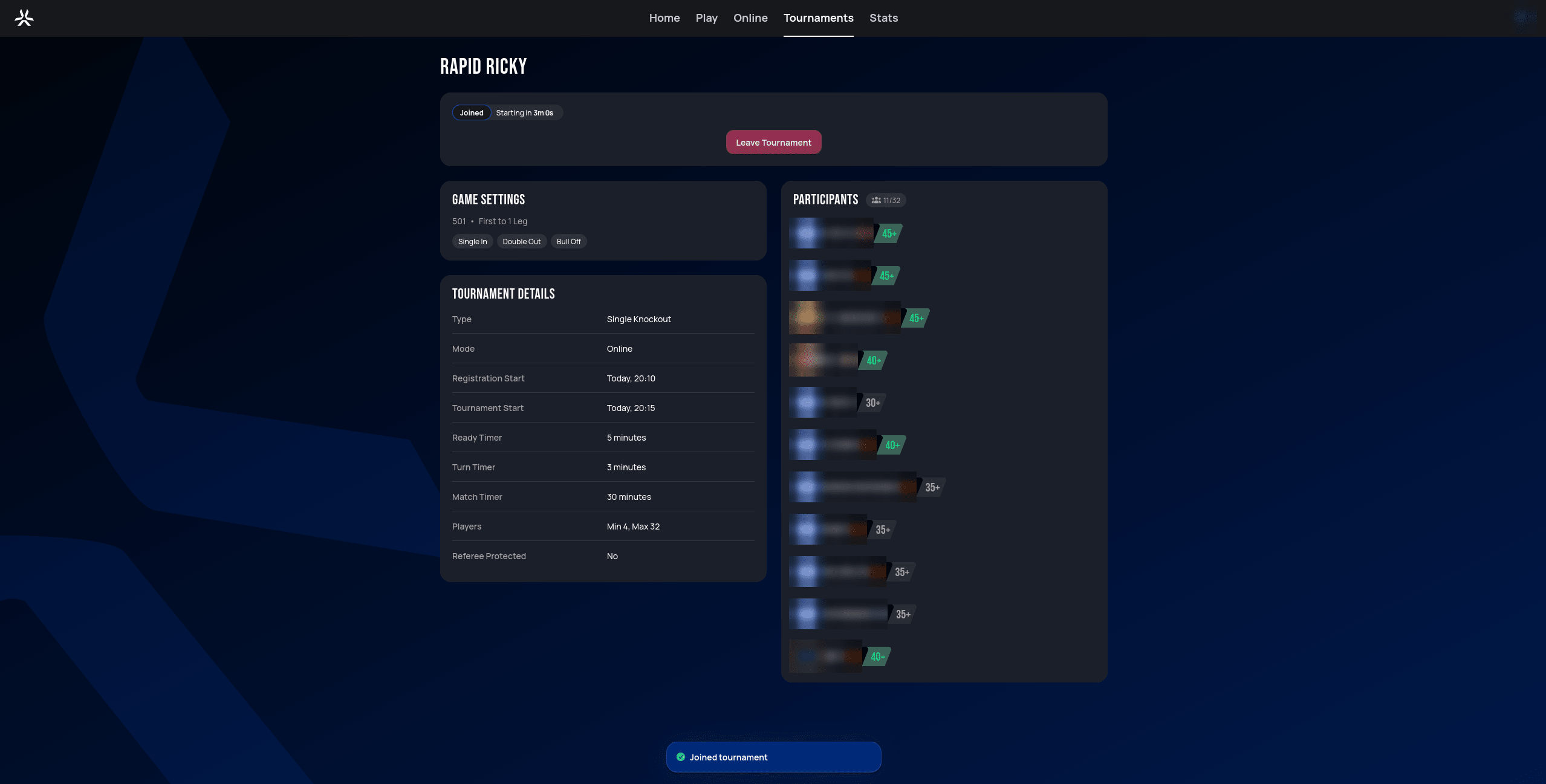
After joining, the button is replaced with Leave Tournament, the status badge switches to Joined, and you're added to the Participants list:
 Personal data redacted
You can back out any time before the tournament starts by clicking Leave Tournament.
Viewing a tournament
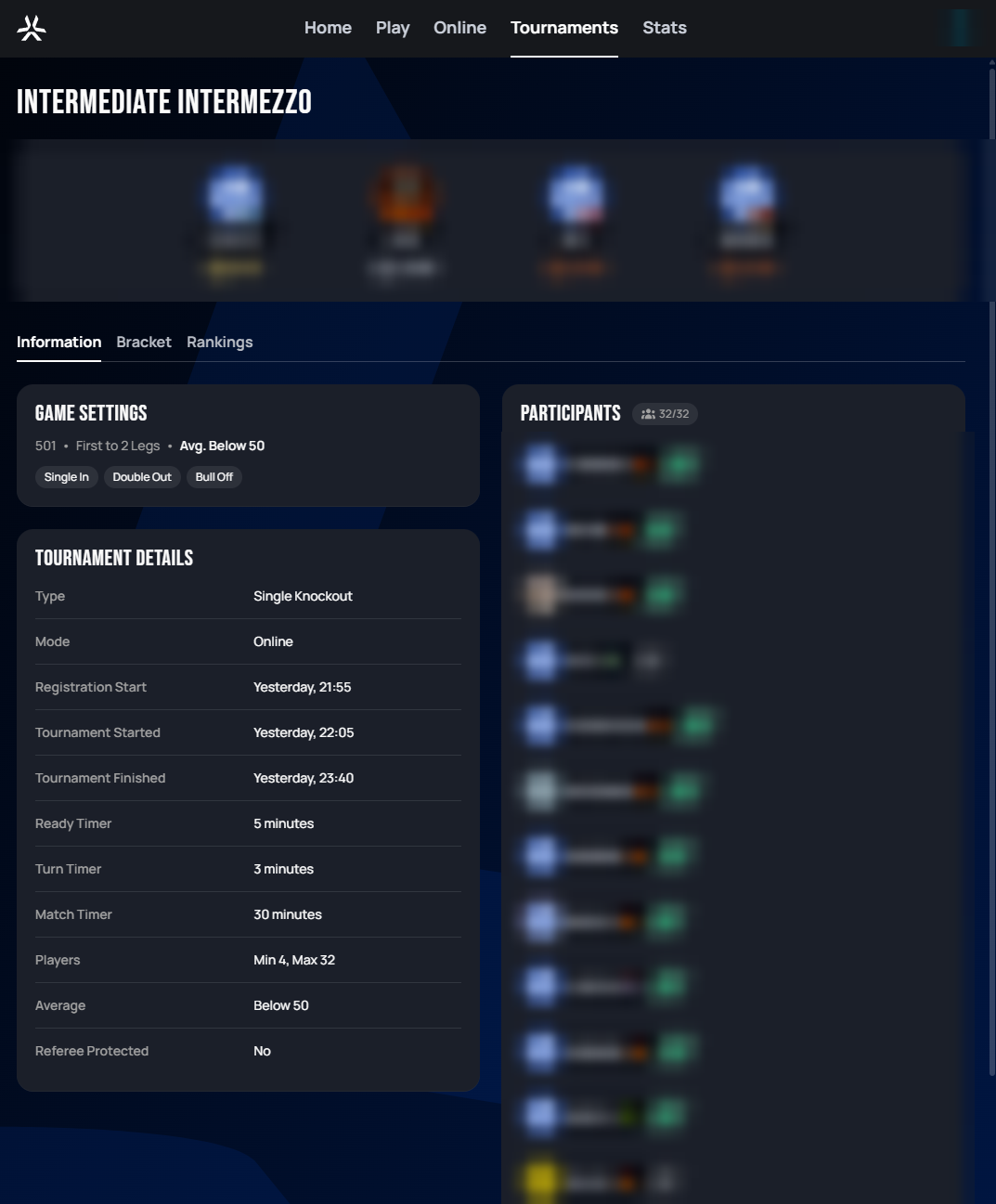
Each tournament page has three tabs: Information, Bracket, and Rankings.
 Personal data redacted
Information shows the podium (once finished), the ruleset (Game Settings), scheduling and sizing details (Tournament Details — including the same Ready/Turn/Match timer values described above, plus whether the tournament is Referee Protected), and the full Participants list with each player's average bracket. A Referee Protected tournament — open to Autodarts Plus members only, as above — runs with the AI referee active for every match: manual scoring is disabled, you call the referee in on the turn so far via the robot button on the score row (checkout darts are the exception — those get reviewed automatically), and a misread dart has to be challenged and confirmed by your opponent to be overturned. See the Matchmaking Referee setting for the full mechanics.
 Personal data redacted
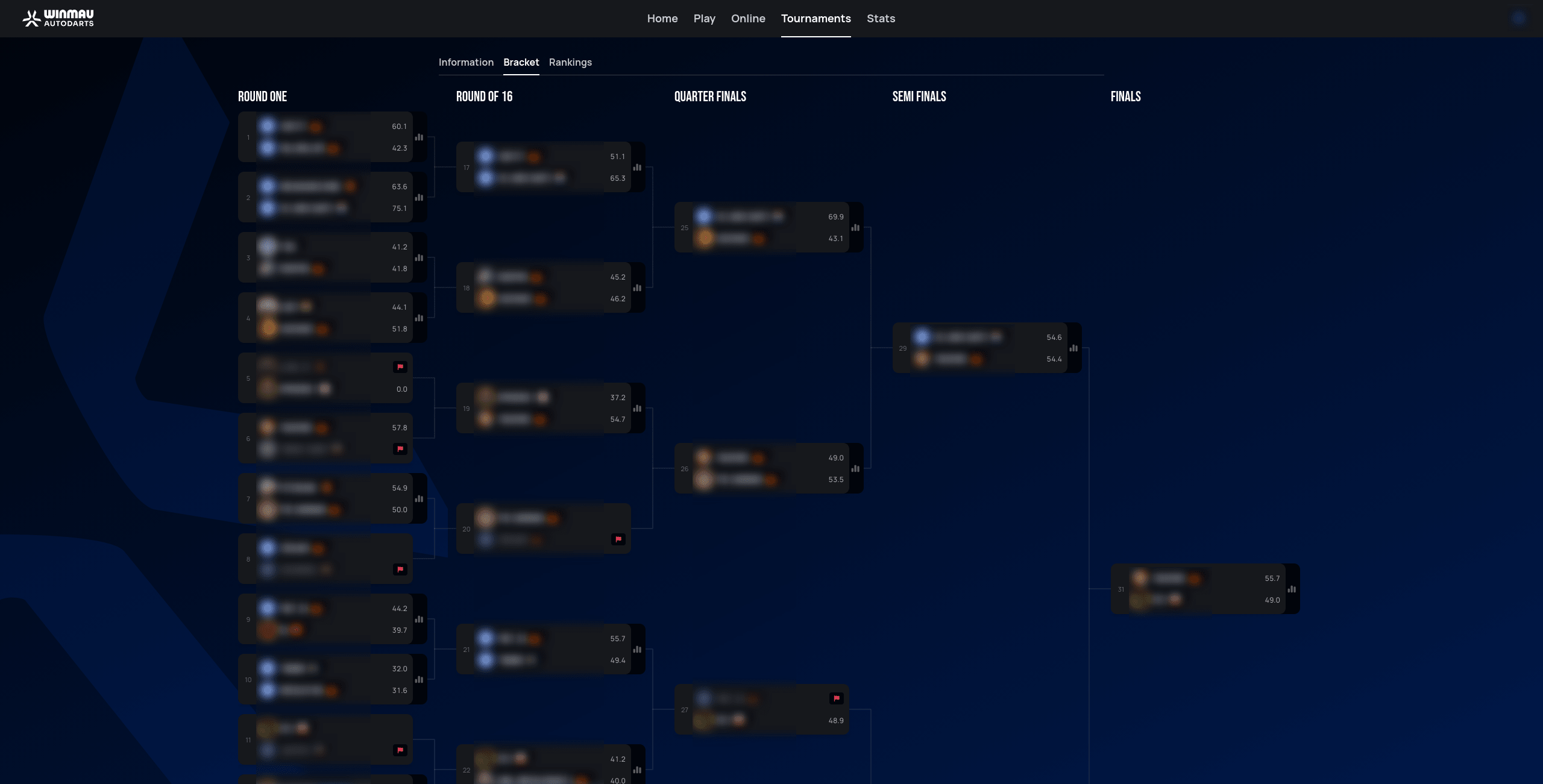
Bracket shows the full tree from the first round through the Finals. Round One alone can be taller than fits on screen at once — the screenshot above cuts off partway down that column simply because the viewport isn't tall enough to show all of it, not because the bracket itself is missing matches; scroll to see the rest.
 Personal data redacted
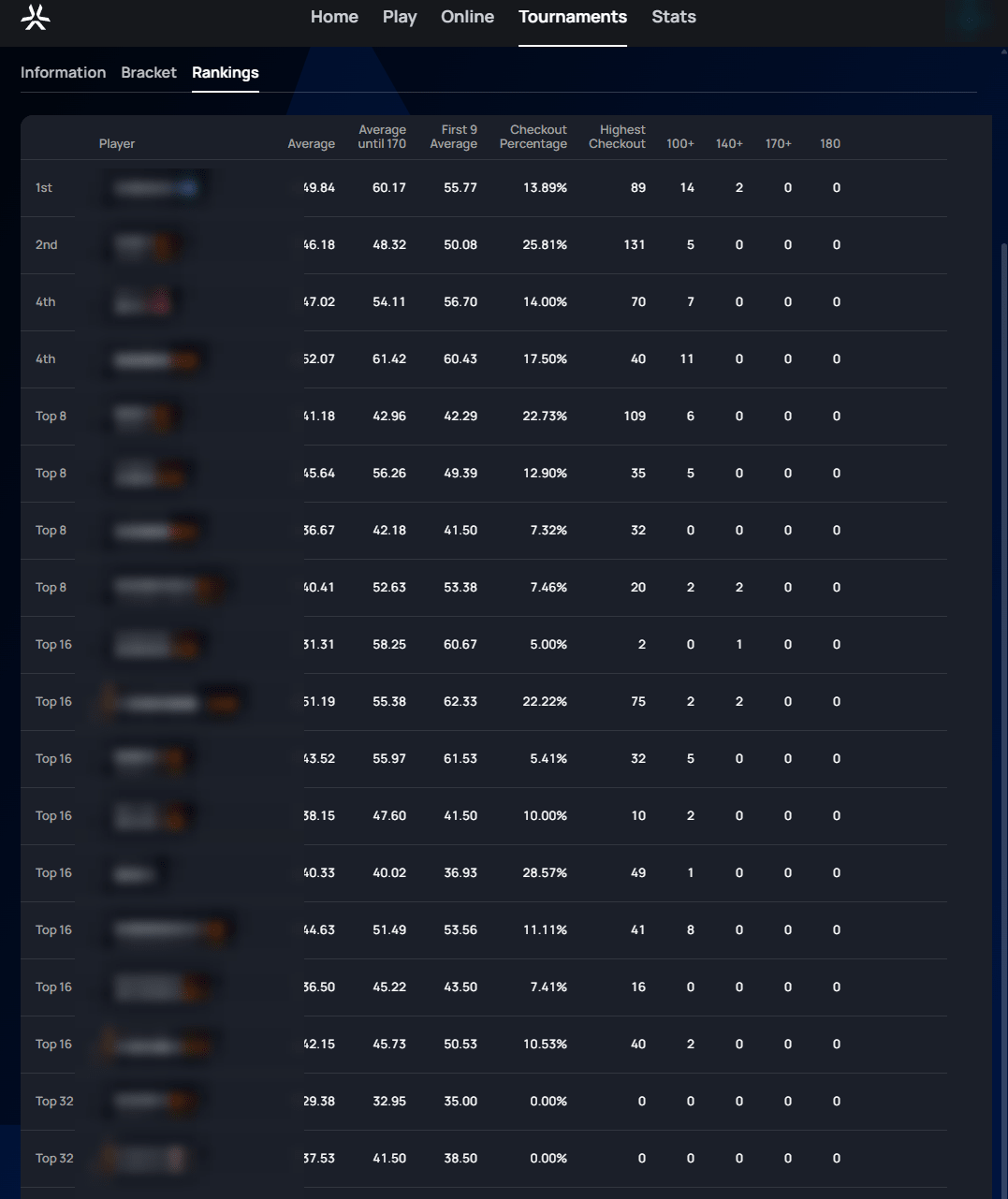
Rankings lists every participant's final placement alongside detailed stats for their run: average, average until 170, first 9 average, checkout percentage (how often they successfully finished a leg when they had the chance), highest checkout, and counts of 100+/140+/170+/180 scores.
The Tournaments list
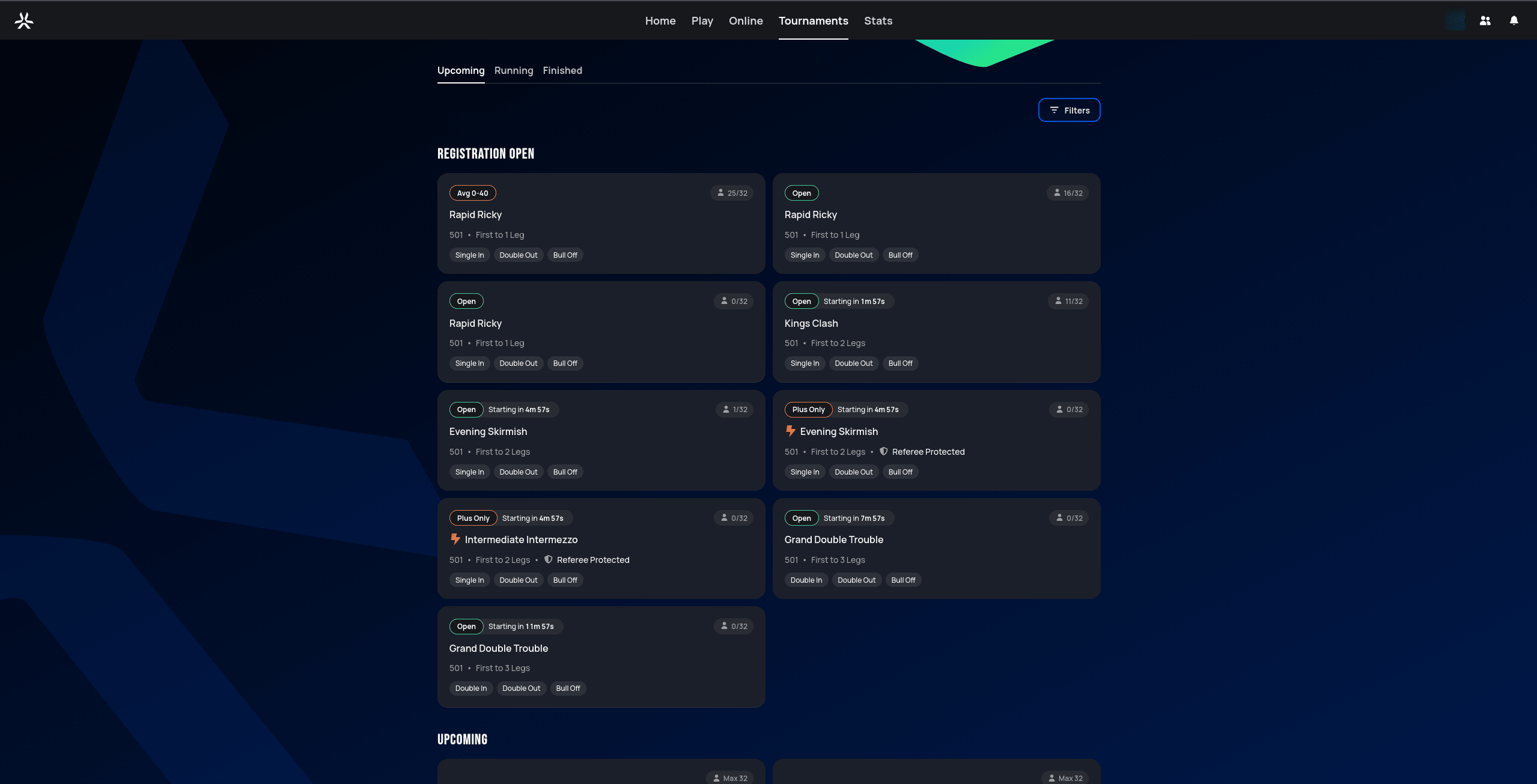
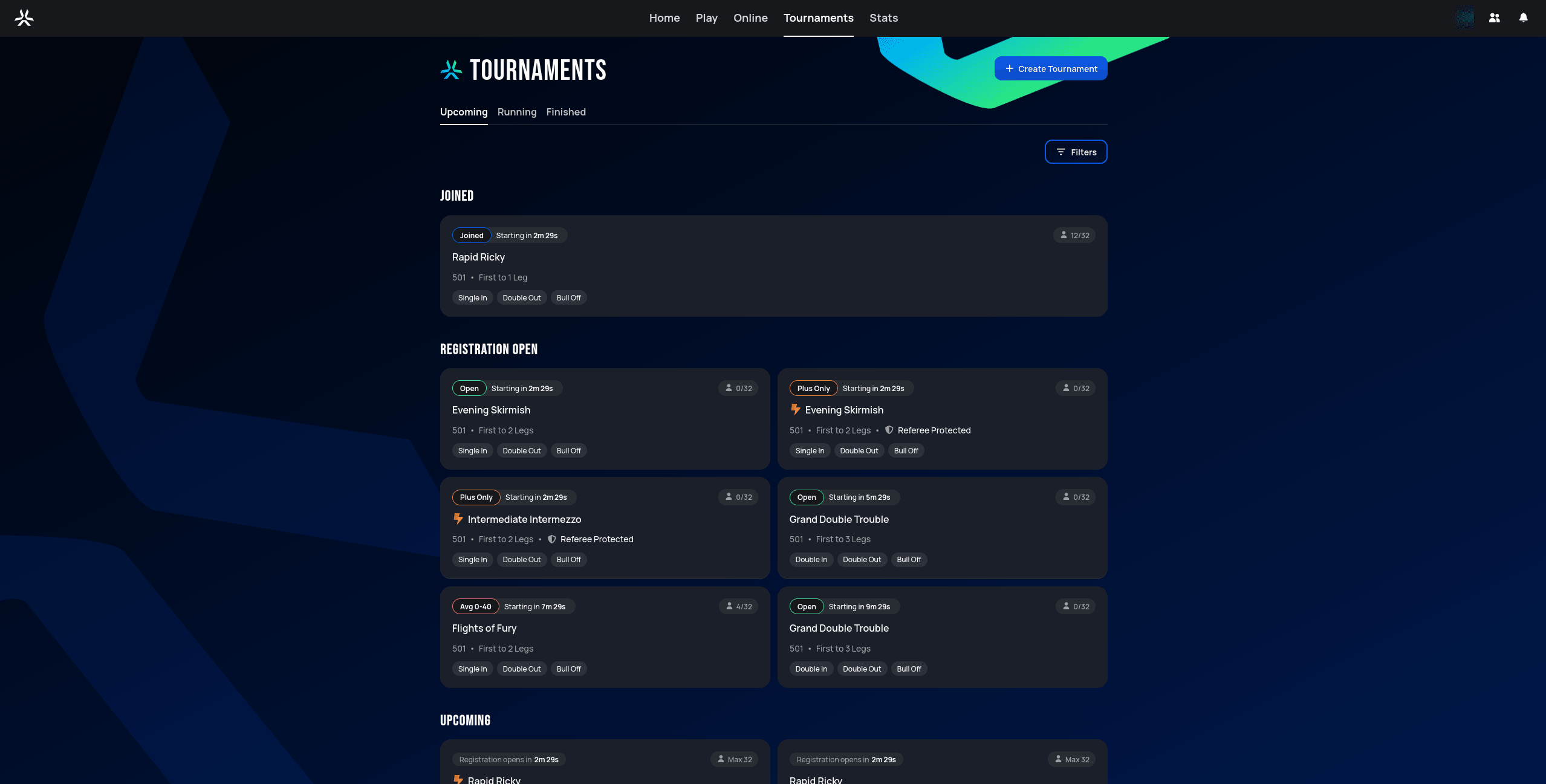
The Tournaments page itself (as opposed to an individual tournament's page above) has Upcoming, Running, and Finished tabs, each grouping cards by status — for example, anything you've joined gets its own Joined group at the top of the list, ahead of everything else:
 Personal data redacted
 Personal data redacted
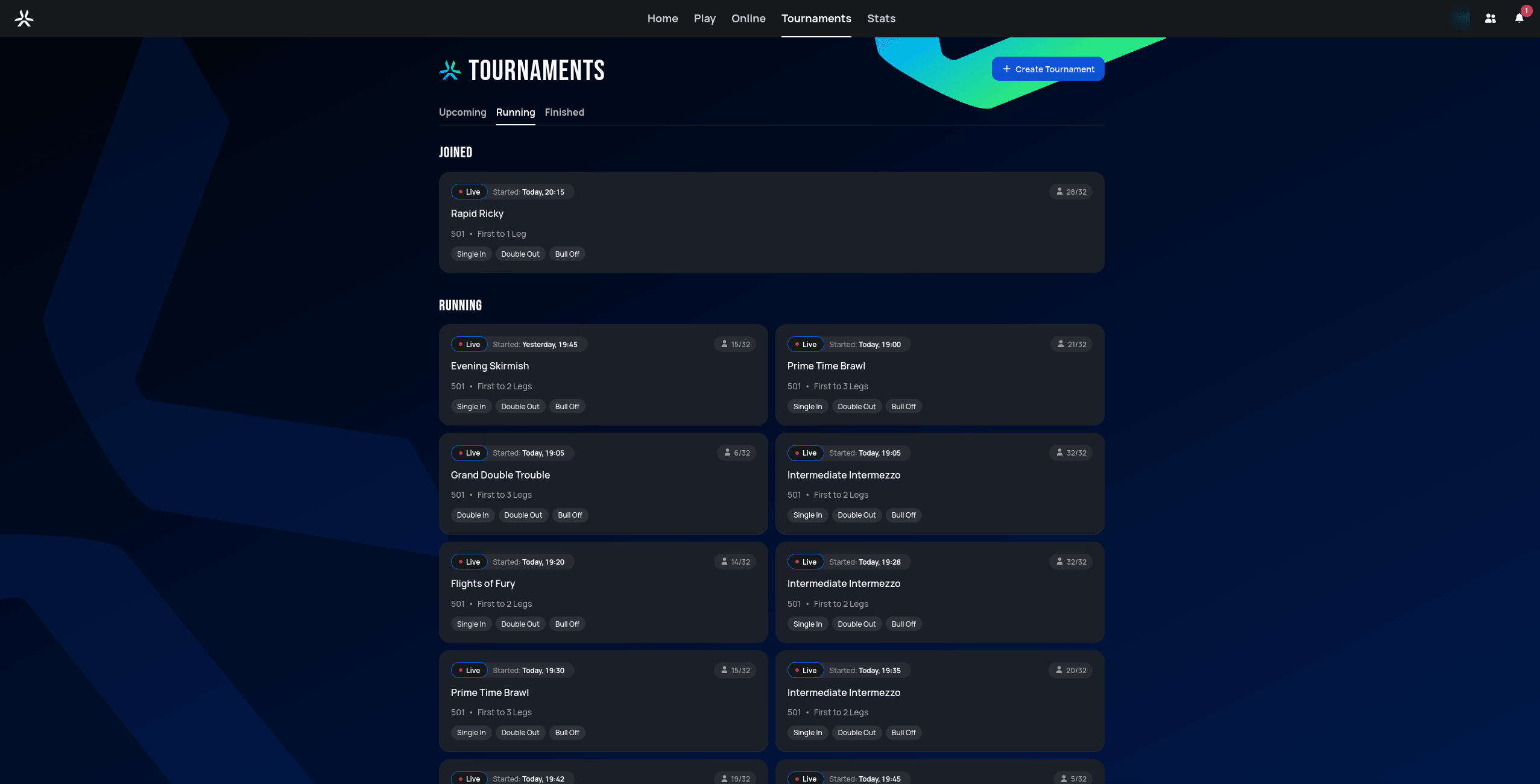 Personal data redacted
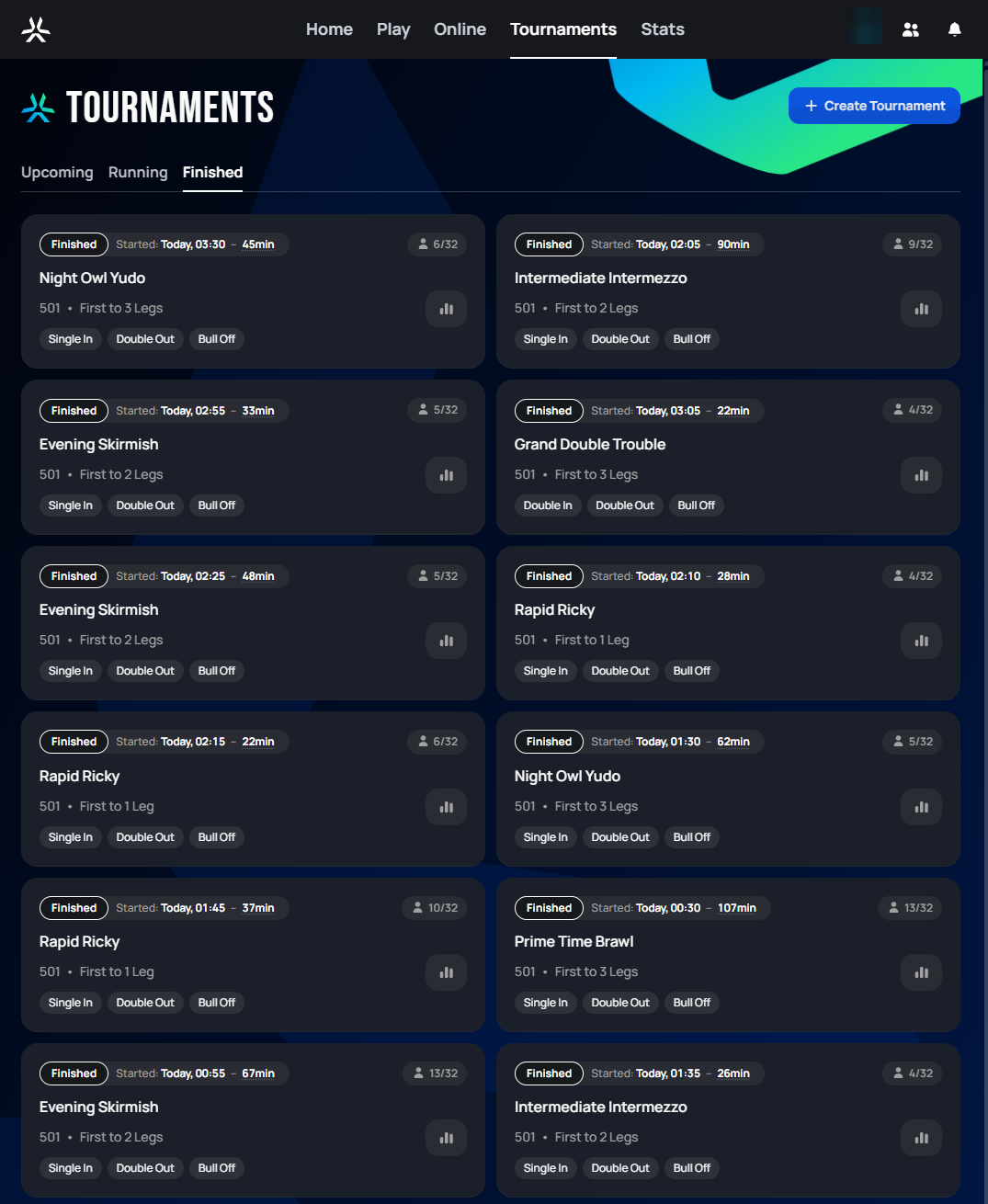 Personal data redacted
Click through any card to reach the Join view (if it hasn't started) or the Information/Bracket/Rankings view above (once it has).