Player Cards & Head-to-Head
Clicking any player's name — in a lobby, your friends list, or match history — opens a player card: a quick-stats popup. This works for any player, not just yourself, though what you can see and do depends on your relationship with that player.
Your own card
Opened via your own name (for example from the board-identity widget on the Home page — the box showing your connected board and player info), your card shows a single Stats tab — there's no Head-to-Head tab, since you can't compare yourself with yourself.
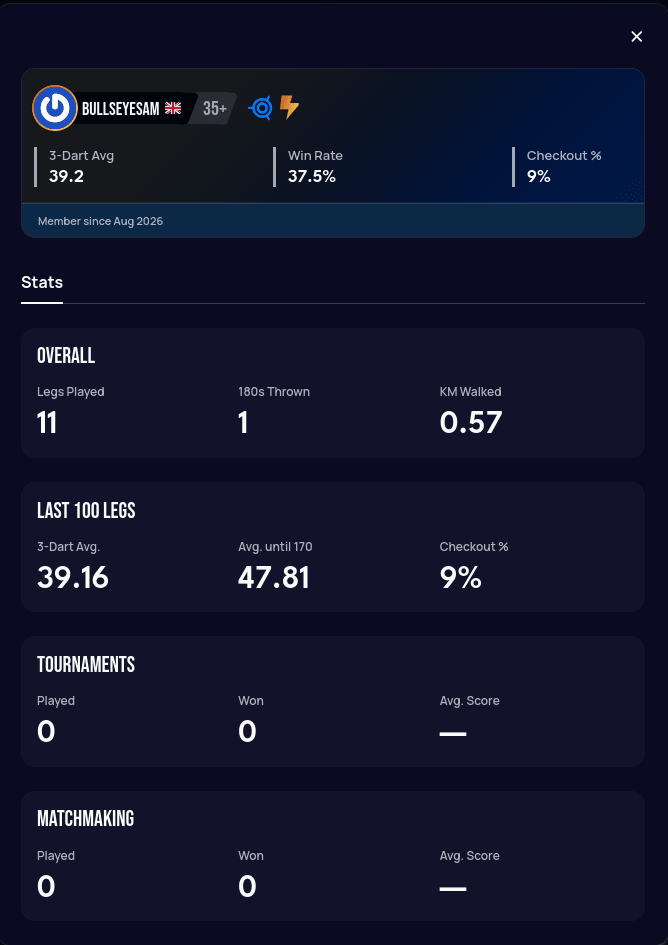
A leg is one full game, from the starting score down to zero. A 180 is the highest score possible with three darts (three treble 20s). 3-dart average is your average score per three darts thrown — the standard way darts players measure scoring power (PPD, points per dart, is the same figure per single dart: a 3-dart average of 45 is 15 PPD) — and checkout % is how often you finish a leg successfully when you get the chance. Average until 170, below, is that same average calculated only up to the point a checkout becomes possible, so a big finish doesn't skew it.
The card header
The header at the top of a player card shows, next to the player's name:
- Their average bracket: their current 3-dart average, rounded down to a step of 5. The card above has a 3-dart average of 39.2, so it shows 35+.
- Badges, as small icons. The card above has two:
- Early Supporter (blue) — every account registered before the new version of Autodarts launched on 3 September 2026.
- Autodarts Plus (orange lightning bolt) — an active Autodarts Plus membership.
Along its bottom edge, Member since shows when they joined Autodarts.
Another player's card
For any other player, the card additionally shows:
- Their online status (e.g. "Available") beneath their name.
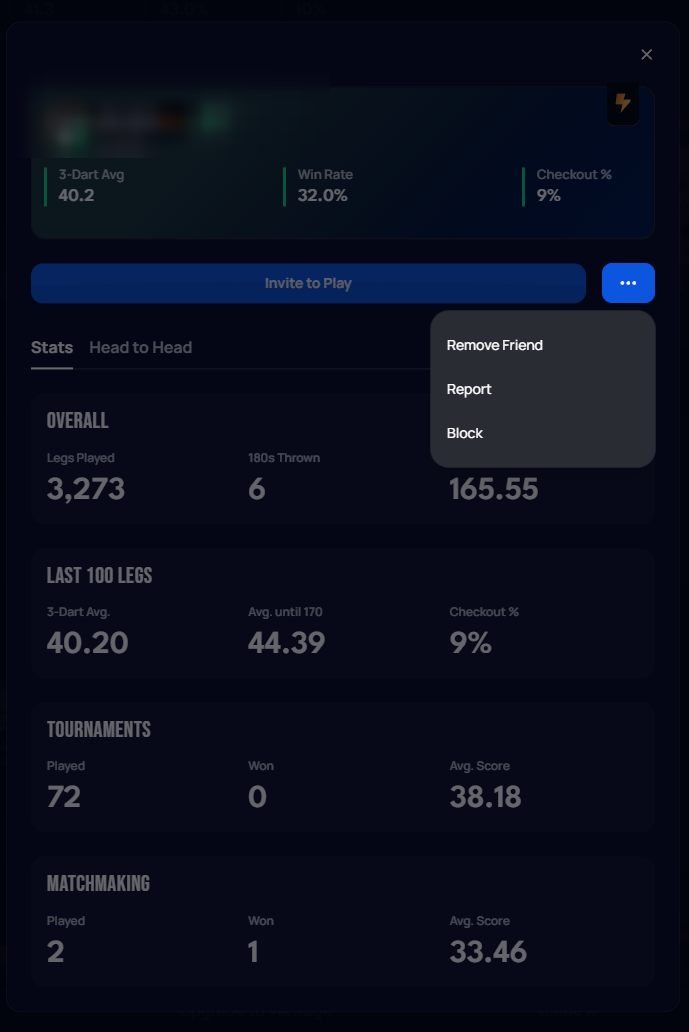
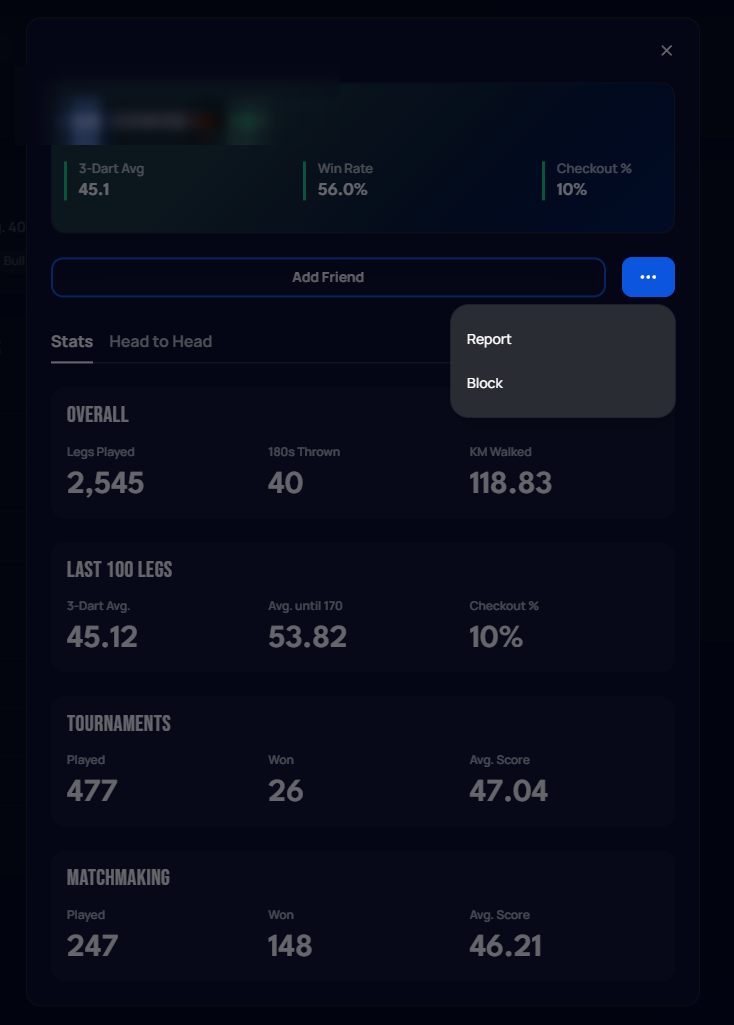
- An action button: Invite to Play if you're friends, or the outlined Add Friend if you're not.
- A ··· menu (a "more options" menu) with further options. Friends get Remove Friend, Report, and Block; non-friends get just Report and Block.
 Personal data redacted
 Personal data redacted
Stats tab
Same breakdown as your Statistics page: Overall (legs played, 180s thrown, km walked), Last 100 Legs (3-dart average, average until 170, checkout %), Tournaments, and Matchmaking (played / won / average score for each).
Head to Head tab
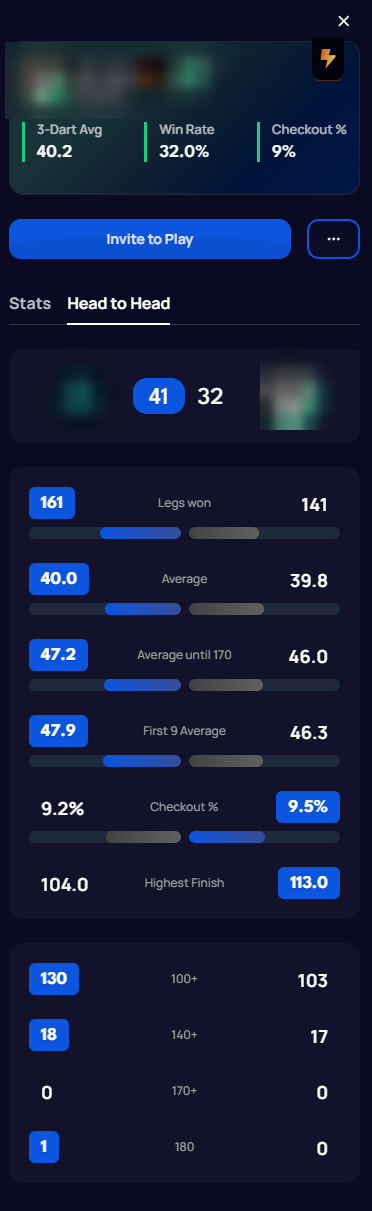
Switching to Head to Head compares you with that player. Everything on this tab counts only the matches the two of you have played against each other:
- Your avatars on either side of the matches each of you has won (e.g.
2 - 2). - Side-by-side comparison bars for Legs Won, Average, Average until 170, First 9 Average (your average scoring rate across just the first three turns of a leg), Checkout %, and Highest Finish (the largest checkout you've completed) — your value and theirs, with the leading side highlighted.
- A small table comparing scoring milestones (100+, 140+, 170+, 180) between the two of you.
 Personal data redacted