Your Statistics Page
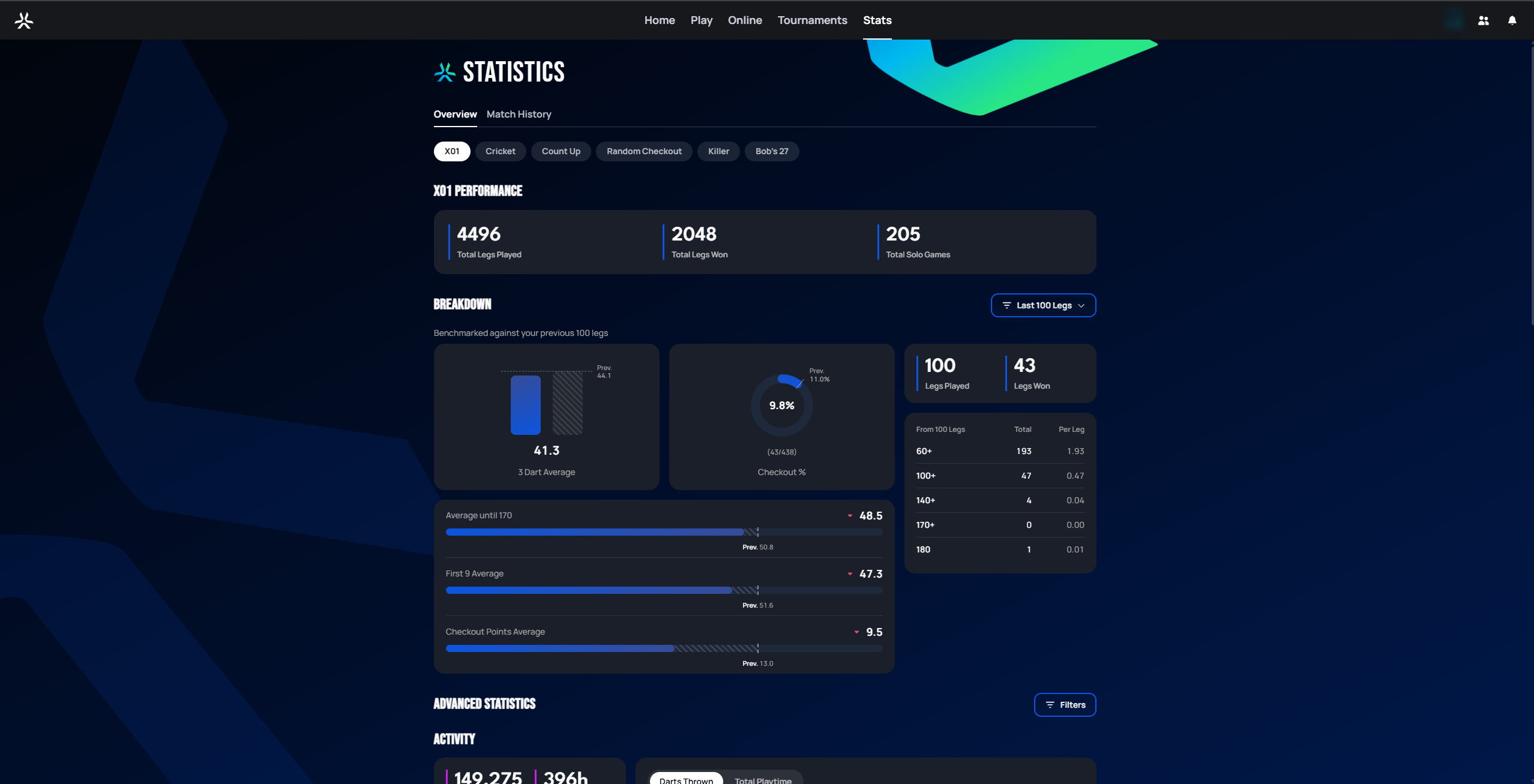
Selecting Stats in the top navigation opens your personal statistics page. It has two tabs: Overview (covered below) and Match History (a list of your past matches).
 Personal data redacted
Overview tab
Game mode filter
A row of pills (rounded tab buttons) across the top (X01, Cricket, Count Up, Random Checkout, Killer, Bob's 27, ...) lets you switch which game mode the page reports on.
Switching modes keeps the same page layout — Performance summary, then Breakdown — but the specific metrics in the Breakdown section change to fit how that mode is scored. The Performance summary card is the one constant across every mode: Total Legs Played, Total Legs Won, and Total Solo Games.
Breakdown — X01
The Breakdown section compares your recent performance to your previous stretch of legs — a leg is one full game, from the starting score down to zero. A Last 100 Legs dropdown controls how many legs count as "recent." For X01, it includes:
- A 3 Dart Average bar and a Checkout % donut, each annotated with the "Prev." value from before the current window, so you can see at a glance whether you're trending up or down.
- A Legs Played / Legs Won count for the window.
- A scoring table breaking down how many 60+, 100+, 140+, 170+, and 180 scores you hit in the window, both as a total and per-leg average.
- Three trend rows — Average until 170, First 9 Average, and Checkout Points Average — each shown as a bar with the current value against the "Prev." value.
3-dart average (sometimes shortened to PPD, points per dart, ×3) is your average score per three darts thrown — the standard way darts players measure scoring power. Checkout % is how often you finish a leg successfully when you get the chance, and Checkout Points Average is your average score specifically on those checkout attempts. Average until 170 and First 9 Average are variations that only count darts thrown before a checkout becomes possible, or just your first three turns, so a big finish or a slow start doesn't skew the number. The 60+/100+/140+/170+/180 columns count how often you scored at least that much with three darts in one turn — 180 is the maximum possible (three treble 20s).
Breakdown — other modes
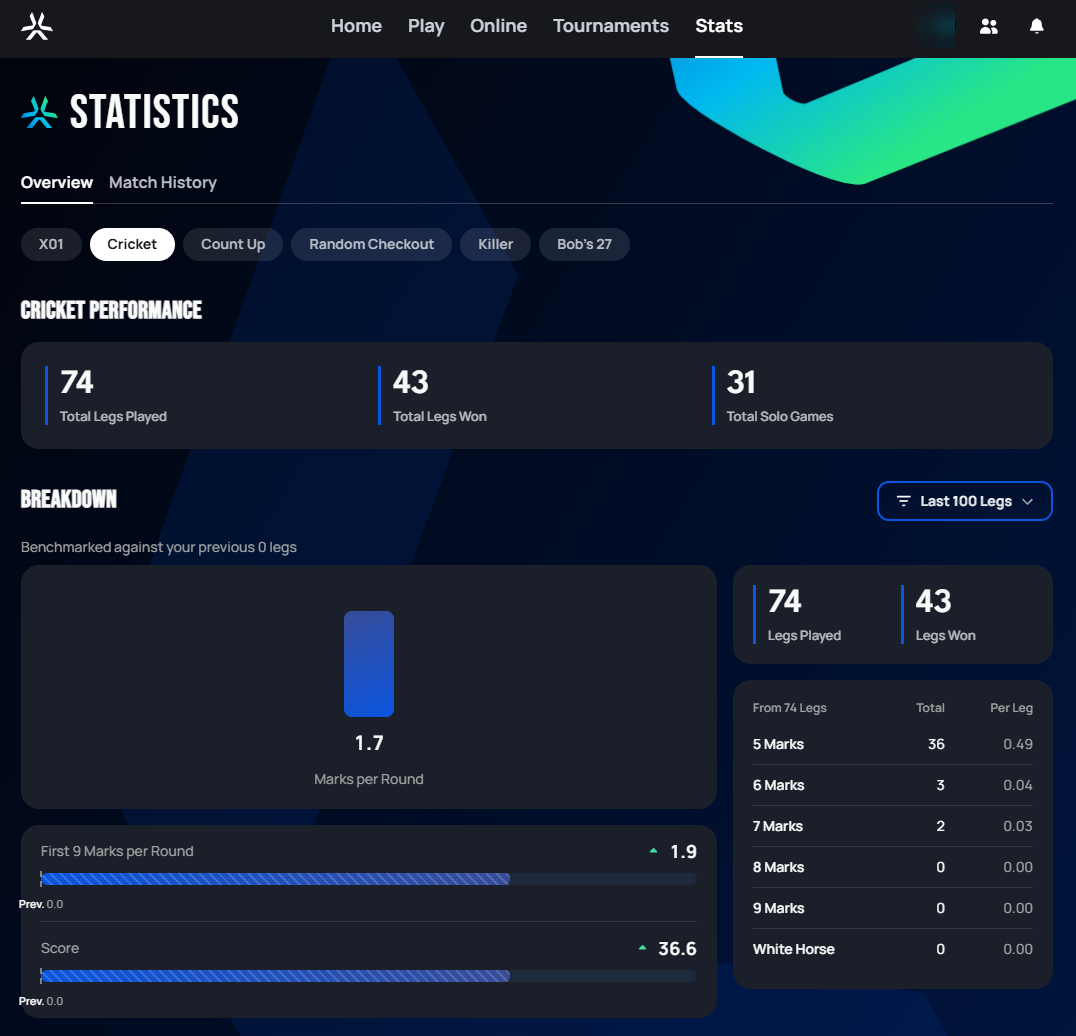
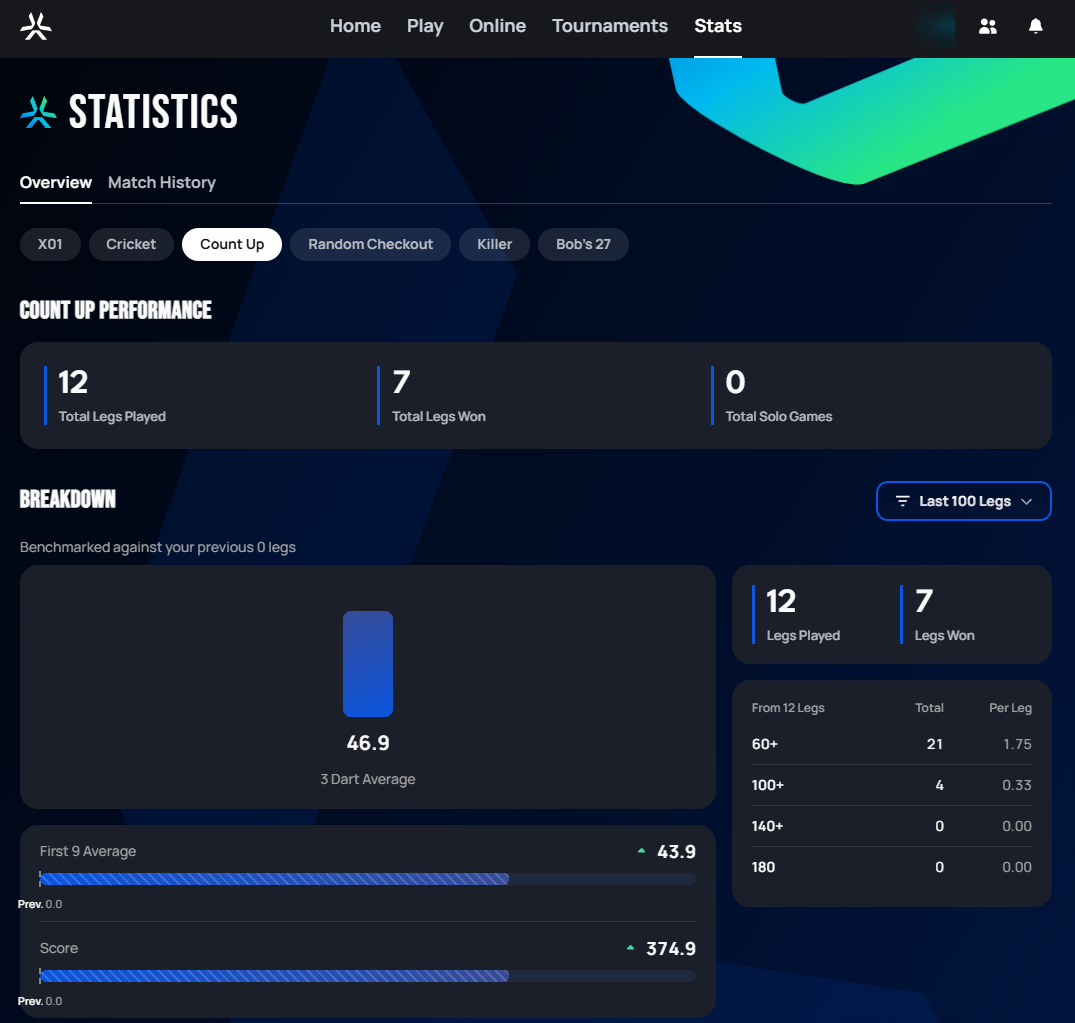
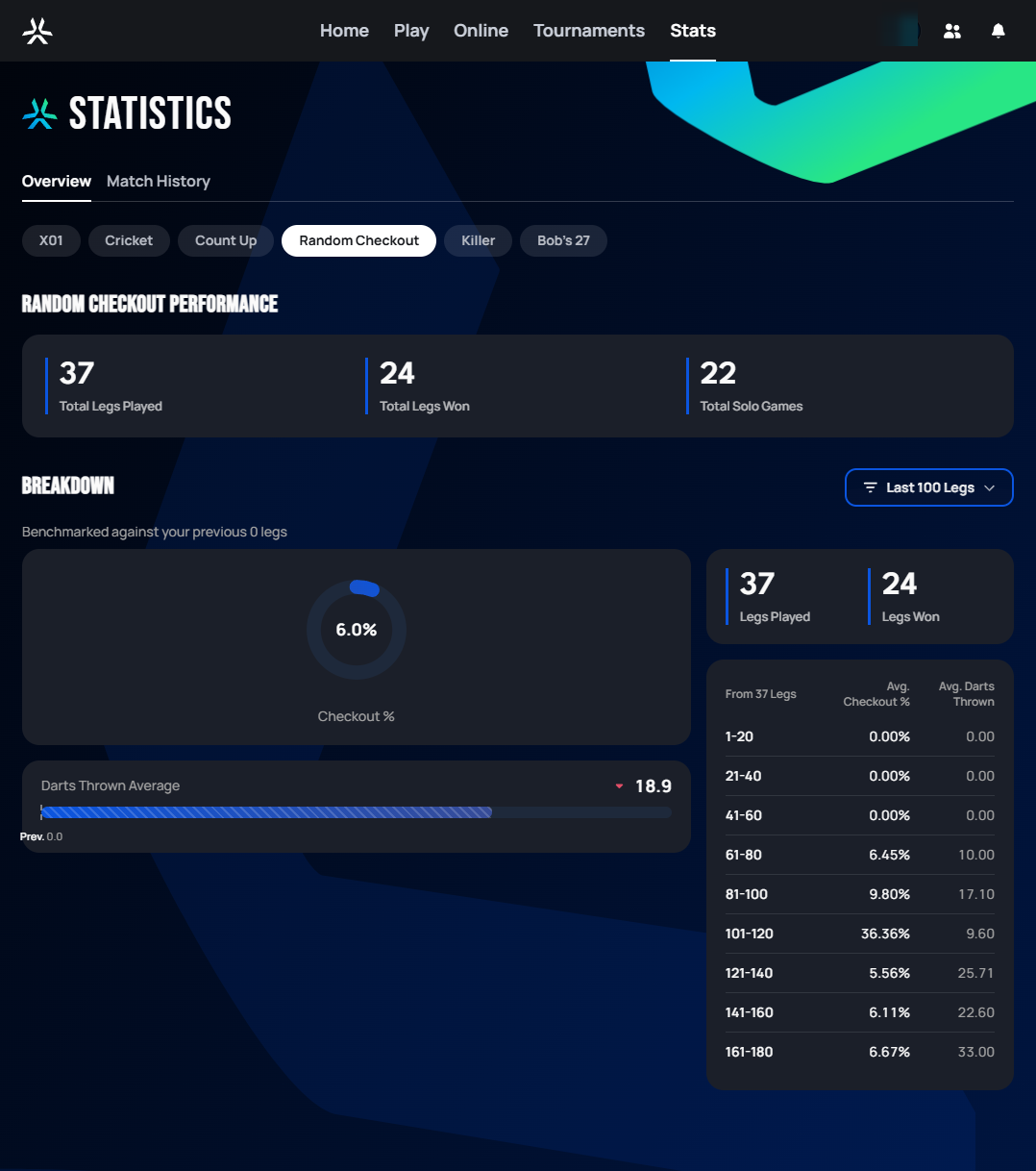
Every other mode reuses the same "current vs. previous window" layout, but swaps in metrics relevant to that mode's scoring:
 Personal data redacted
A round is one turn of three darts. In Cricket/Tactics, each dart on a target number earns marks toward closing it — a single is worth 1 mark, a double 2, and a treble 3 — so Marks per Round is your average marks scored per turn, and First 9 Marks per Round is that same average across just your first three turns. The 5–9 Marks table counts how many rounds you scored that many marks in a single turn — 9 is the maximum, three treble hits in one turn. A White Horse is the rarest version of a 9-mark round: three different target numbers, each hit as a treble, that neither you nor your team had already marked before that turn.
 Personal data redacted
 Personal data redacted
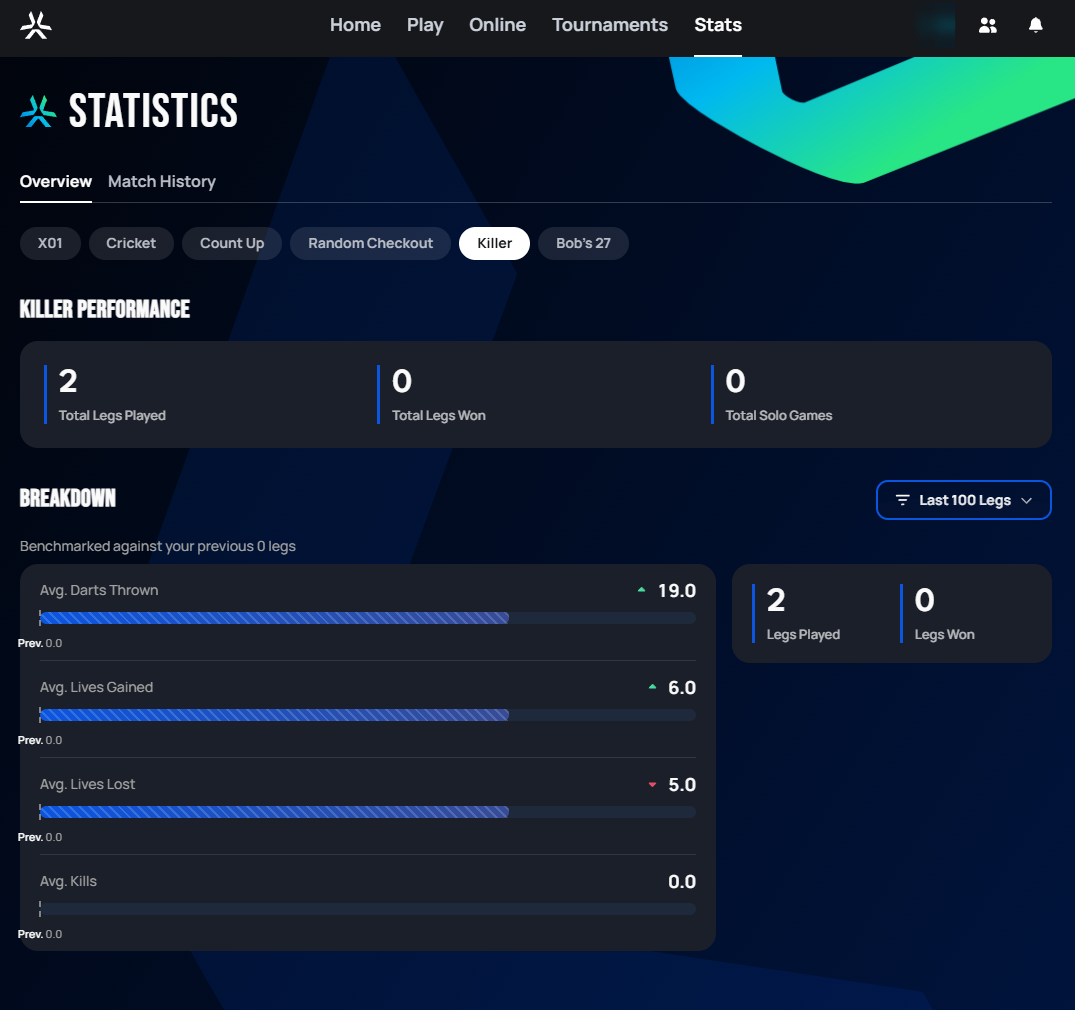 Personal data redacted
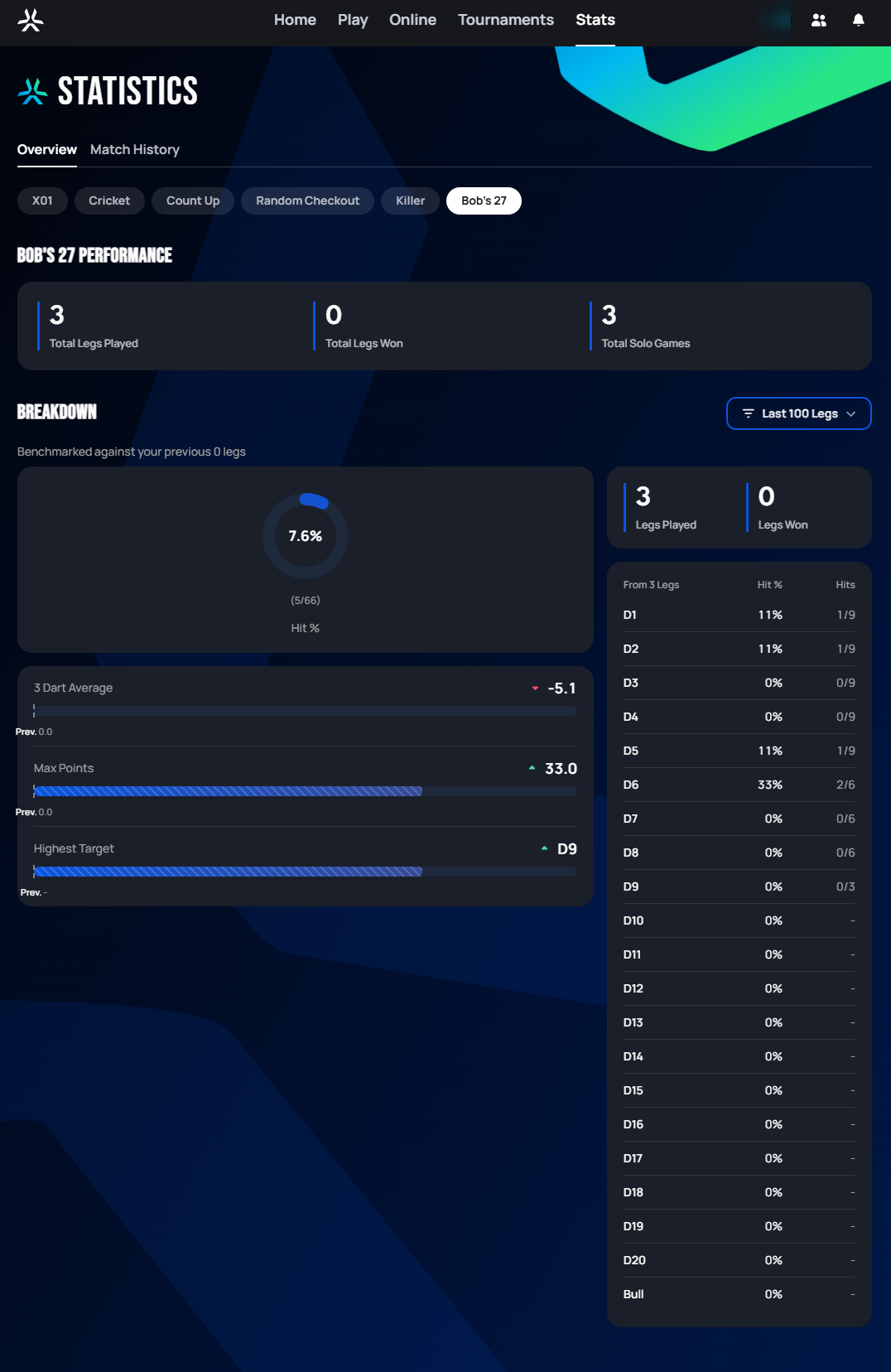 Personal data redacted
Only these six modes get a Breakdown section on the Overview tab — Around The Clock, Shanghai, Round the World, Segment Training, Gotcha, and Bermuda don't have one. (Some of those modes still get their own per-match stats — see Match History below — just not this aggregate "trend over time" view.)
Advanced Statistics
Further down the Overview tab sits Advanced Statistics, a deeper set of Activity, Scoring, and Checkouts breakdowns that needs Autodarts Plus — it has a page of its own.
Match History tab
The Match History tab lists every match you've played, most recent first, with the columns Match Type (mode and how the match was played), Date, Time, and Result (both players/bots and the legs each won).
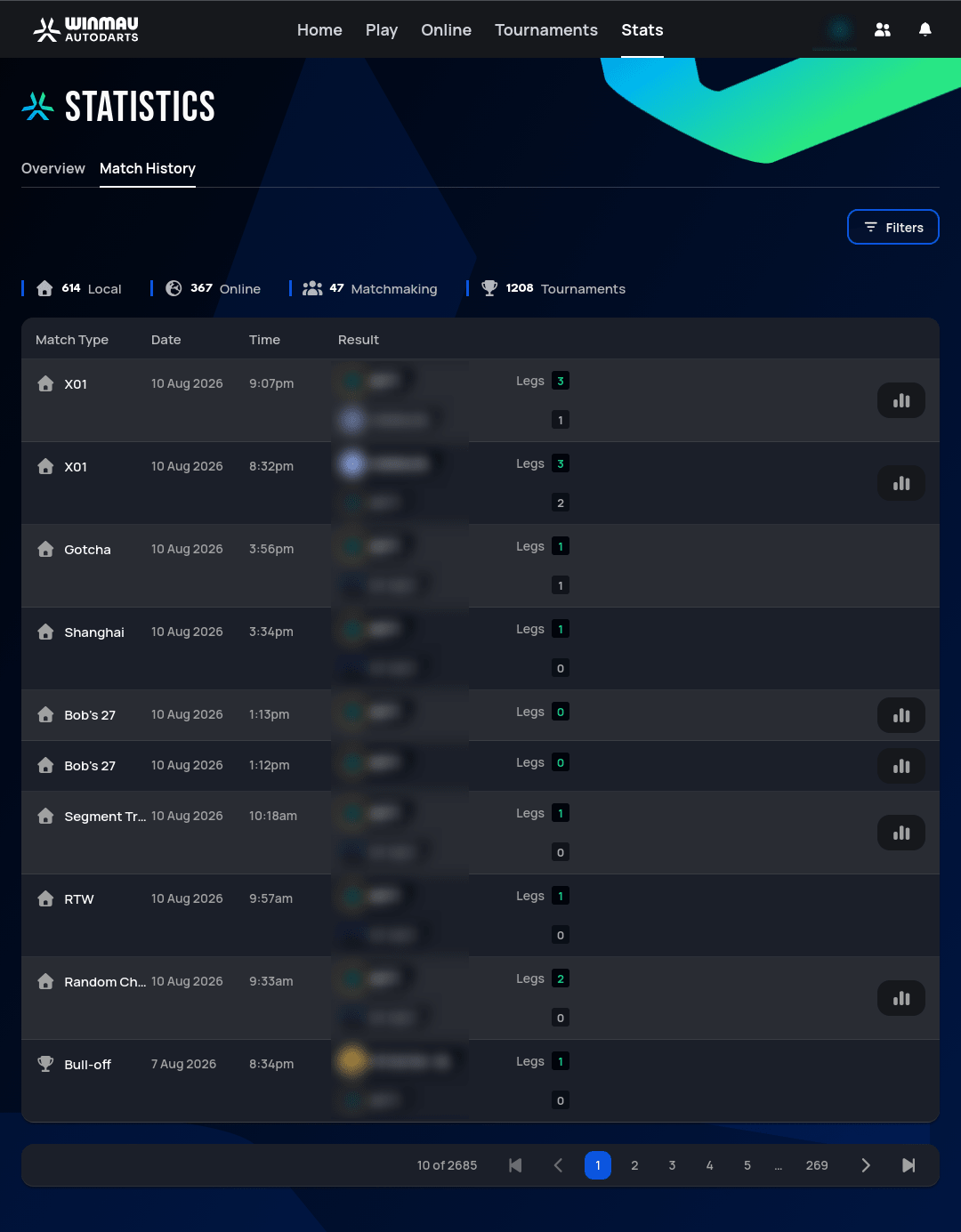 Personal data redacted
Per-match stats
The bar-chart icon on the right of a row opens that individual match's own stats. Which modes get one doesn't line up with the six modes on the Breakdown list above — Segment Training, for example, gets per-match stats here even though it has no aggregate "trend over time" Breakdown on the Overview tab. In the screenshot above, X01, Bob's 27, Segment Training, and Random Checkout all have the icon; Gotcha, Shanghai, and Round the World don't.
Filtering by match type
Above the list, four counters double as filter buttons: Local, Online, Matchmaking, and Tournaments — click one to show only matches played that way.
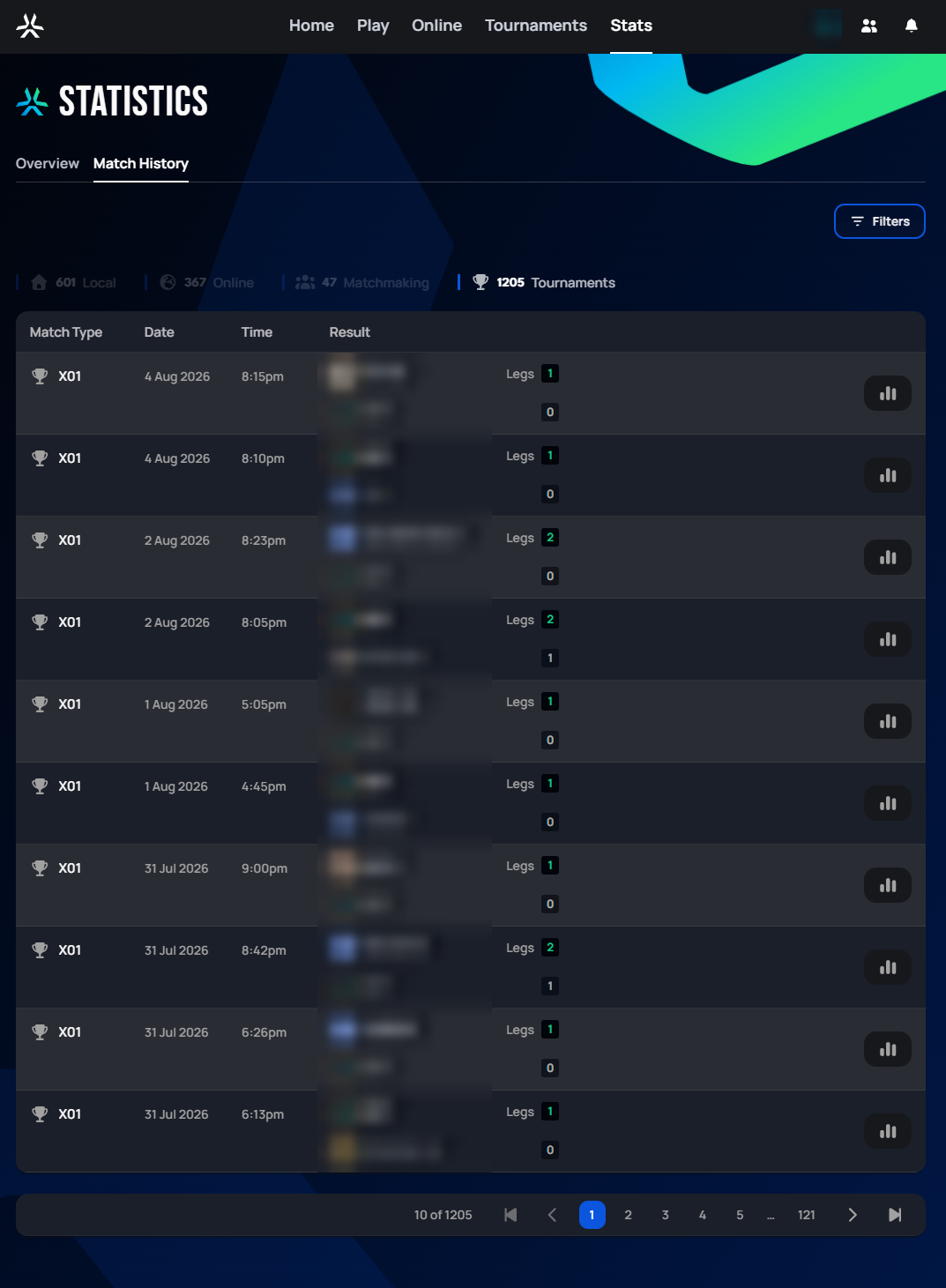 Personal data redacted
The screenshot above has Tournaments active (highlighted, with the matching count in white), so every row shown is a tournament match.
Filtering further
The Filters button opens a more detailed filter panel:
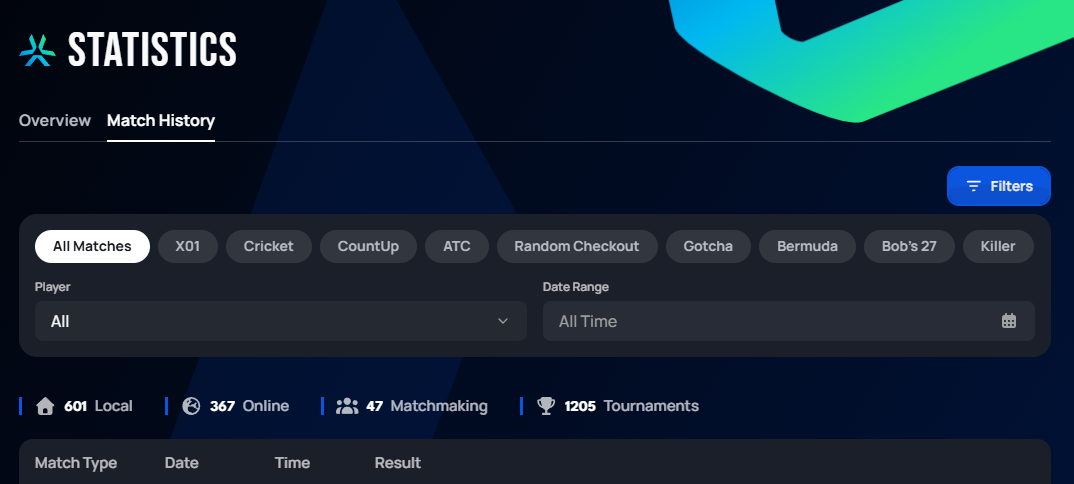
This adds:
- A row of game mode pills (All Matches, X01, Cricket, CountUp, ATC, Random Checkout, Gotcha, Bermuda, Bob's 27, Killer) to narrow the list to one specific mode.
- A Player dropdown to filter matches against a specific opponent.
- A Date Range picker (defaults to "All Time").